For product brands
Turn setup friction into something you can fix.
Give every order a guide in your brand's own images and voice. Buyers reach it from several points along the order, and you see where they get stuck.
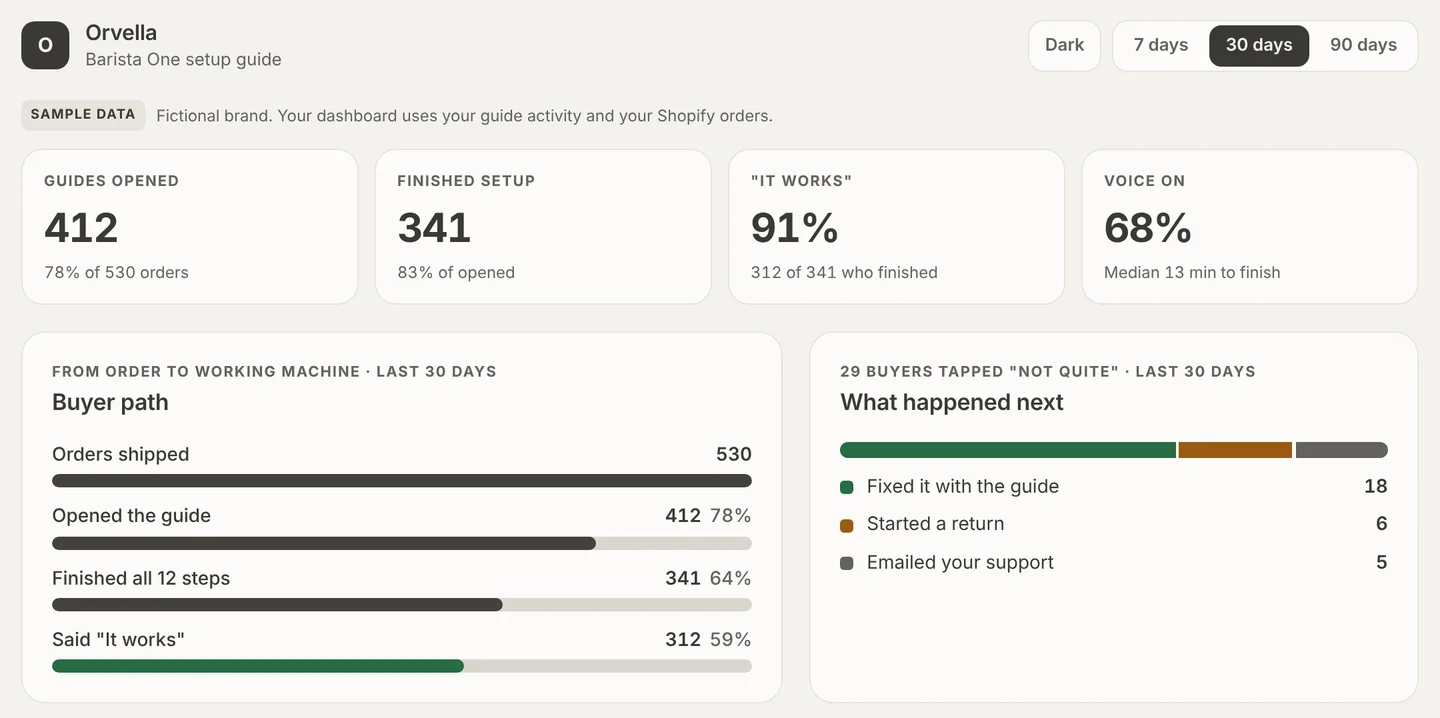
Sample data from a fictional brand, Orvella.
Demo
One product, from manual to numbers.
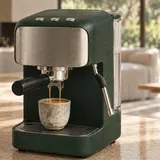
Orvella is a fictional espresso machine brand we made for this demo. One product, shown three ways. For your brand, we build this from your own manual.

Before
The manual they had.Setup buried in small print, in four languages, with the safety warning off to the side.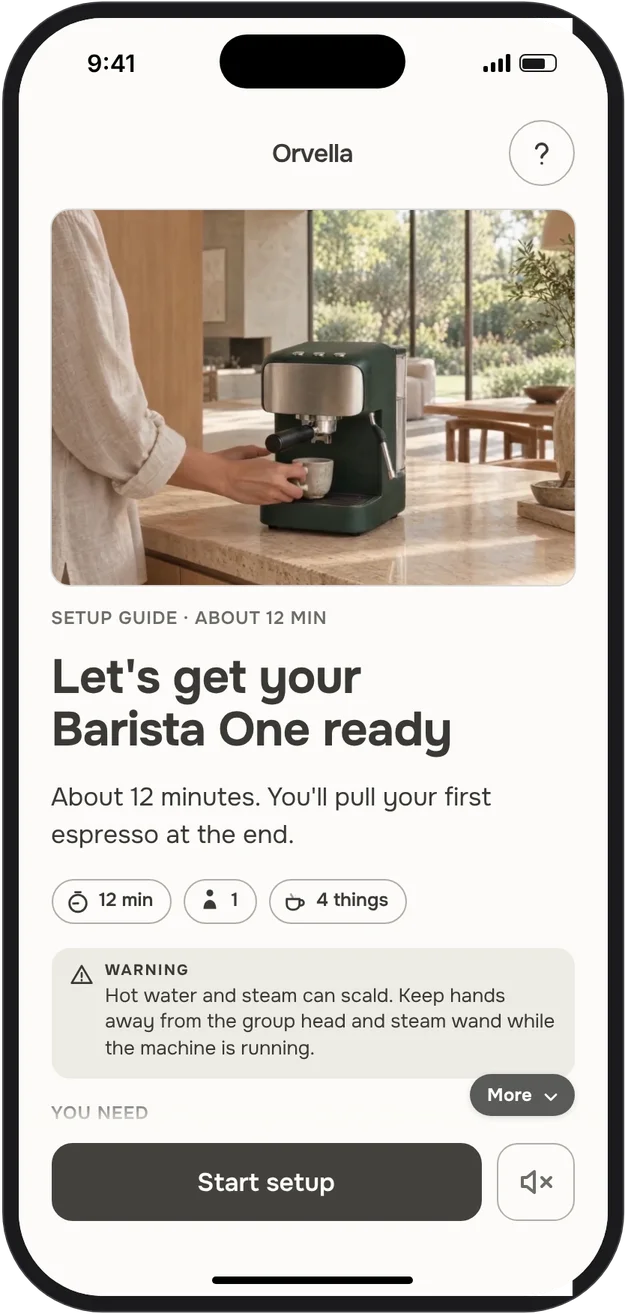
For buyers
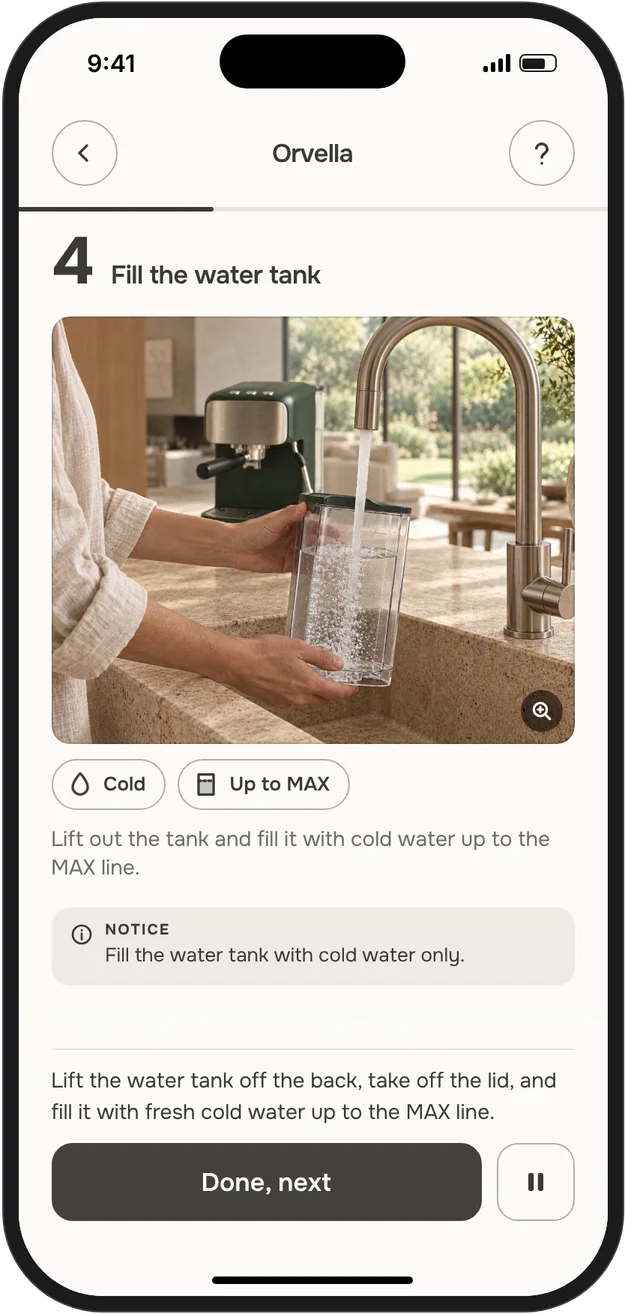
The guide they get.One step per screen, read aloud, with a "Did it work?" check at the end.Open the sample guide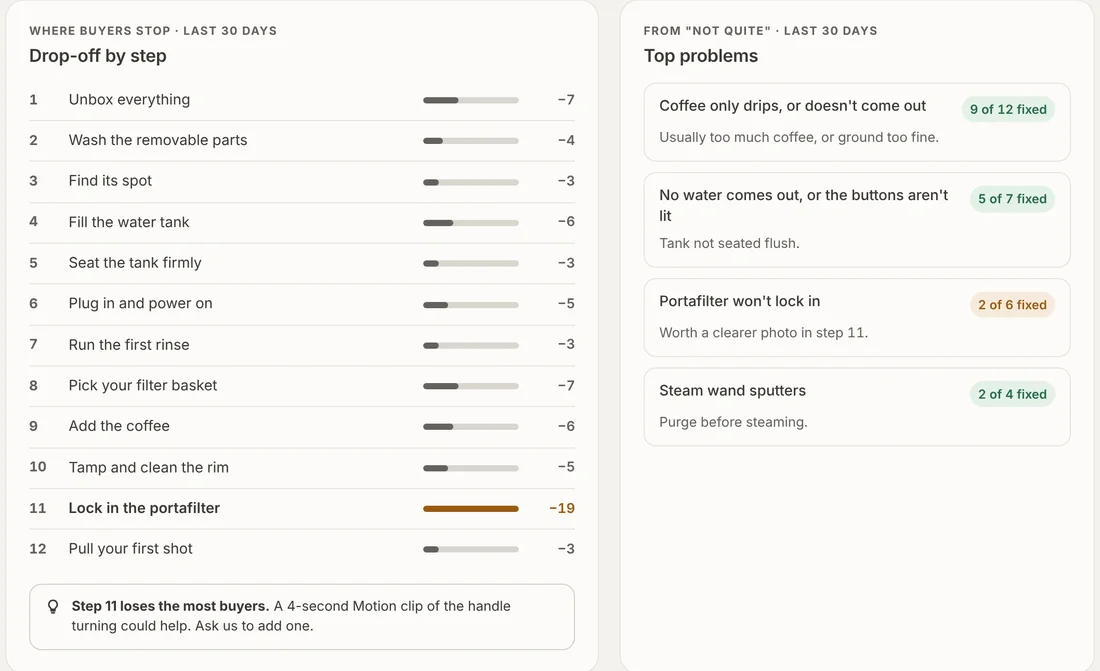
For the brand
What you see.Where buyers stop, what they report, and which fix worked. Sample data.Open the sample dashboard
How it works
From manual to guided setup.
- Drop in your product manual.A PDF, your product page, photos or the videos you already have.
- We turn it into a guide.We build it from the material you already have. With a narrator voice chosen for your product. You review every step and every safety warning, and approve the voice, before anything goes live.
- Buyers get it along the order.A link in your Shopify emails, a banner on the order page, or a QR card in the box. Results are matched to your Shopify orders by order number only.
Your numbers
What you see, step by step.
A confused buyer is hard to spot. Setwell shows the step where buyers stop, so you know where to look: the guide, the manual, the packaging or the product.
- Where buyers stop.The step with the biggest drop, and a suggested tip.
- "Not quite" answers.How many buyers said it didn't work, and which fix they tried next.
- Returns after setup.How many started a return anyway, matched by order number.
- Help requests.How many emailed your support from the guide, and from which step.
During the pilot, you get this as a monthly report. A live dashboard in a Shopify app comes later.See a sample dashboard →
Curious how this would look for your product?hello@usesetwell.com
Where buyers find it
Your guide goes out with the order.
Each link carries the order number, so every answer comes back to that order. The guide does not ask buyers for a name or an email.
- Packing slip in the boxA QR printed on the slip for each order. It arrives with the product, so it works for gifts too.Packing slipOrder #1042
 Barista OneQty 1Set up your Barista OneScan to start. Scan to start the setup guide.
 - Shipping emailThe box just shipped. A button sends buyers straight to setup.OSet up your Barista One →OrvellaYour Barista One is on its way
- Order status pageA banner on the tracking page buyers already check.Arriving ThursdayOrderedShippedDeliveredGet ready: 12-min setup guideOpen
- Order confirmationThe same link in the receipt. The same link in the receipt, for buyers who want it early.
When it helps
- First setup.The first time buyers set the product up.
- Parts and refills.Filters, pods, blades: the same guide, one step.
- A new version of the product.Update the guide; the the same QR code opens the new version.
Examples with Orvella, a fictional brand.
What's inside
What's in each guide.
- A voice chosen for your productCalm for a coffee machine, clear and brisk for a smart-home device. We pick it for your product and your buyers; you hear a sample and approve it. Safety warnings use a clear, serious tone, and you approve each one.
- Callouts that follow the voiceArrows and circles appear on your own images the moment the voice mentions them.
- "Did it work?"If the answer is "not quite", the page walks through the likely fixes first.
- Your approvalNothing goes live until you sign off.
Early pilot
Starting with a few brands in January.
We're building Setwell with a small group of brands that sell products people have to set up. If that's you, say hello: hello@usesetwell.com